
Download Deliveries Package Tracker – delivery tracking, package tracker, parcel tracking, shipment tracking, logistics app
Overview
Deliveries Package Tracker is a dedicated desktop and mobile application designed to streamline the process of monitoring shipments across a wide range of courier services. The software enables users to track parcels using only a tracking ID, offering a centralized hub for managing deliveries from over 100 shipping providers, including major names like Amazon, eBay, FedEx, UPS, and DHL. It is particularly suited for individuals and households managing multiple online purchases, as well as small teams coordinating deliveries in a shared environment.
The app is developed by oRRs and released on May 14, 2024, with a current version of 3.4.5. Its core purpose is to reduce the need for switching between multiple tracking platforms by consolidating all delivery data into a single, accessible interface. Real-world use cases include monitoring international shipments, coordinating deliveries for family members, and managing business-related deliveries.
The application supports both online and offline tracking, allowing users to access shipment details without an active internet connection. This feature enhances usability in areas with unreliable connectivity. The developer did not provide additional details about the company or development background.
Key Features & Capabilities
- Multi-Carrier Support – Track shipments from over 100 logistics providers, including Amazon, eBay, FedEx, UPS, DHL, and many others. Users can quickly select a carrier from a built-in list, making it easy to initiate tracking for any package.
- Tracking ID Integration – Add a shipment by entering its tracking number and carrier. The app automatically retrieves status updates, reducing manual effort and minimizing the risk of errors.
- Real-Time Notifications – Receive timely alerts when a package reaches key milestones, such as dispatch, in-transit, or delivery. Users can customize notification timing for different shipment types, such as setting a 10-minute alert for air shipments.
- Offline Tracking Mode – Access previously loaded shipment data without an internet connection. This allows users to check delivery status in remote locations or during network outages.
- Import from Other Apps – Migrate tracking data from existing delivery tracking applications, ensuring a seamless transition without data loss.
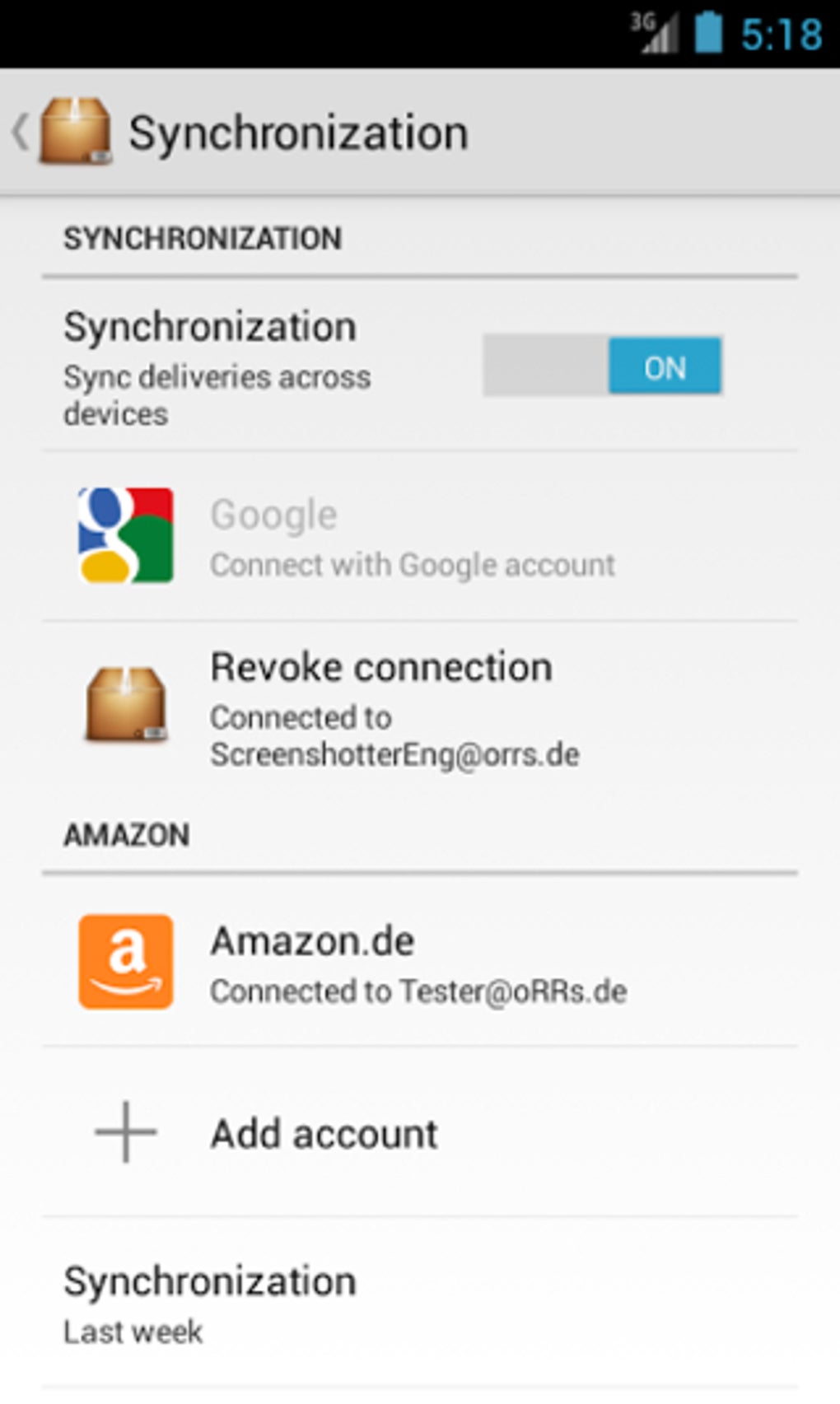
- Shared Tracking with Multiple Users – Enable collaboration by sharing shipment information with family members or coworkers, ideal for shared household or team deliveries.
- Custom Notification Sounds – Assign unique audio alerts to individual packages, helping users distinguish between different types of deliveries.
- Integrated Map View – Visualize the current location of a shipment on a map, providing a spatial context for tracking progress.
- Multi-Language Support – Available in English, Spanish, French, German, Italian, Portuguese, Russian, and Chinese, catering to a diverse international user base.
User Interface, Workflow & Performance
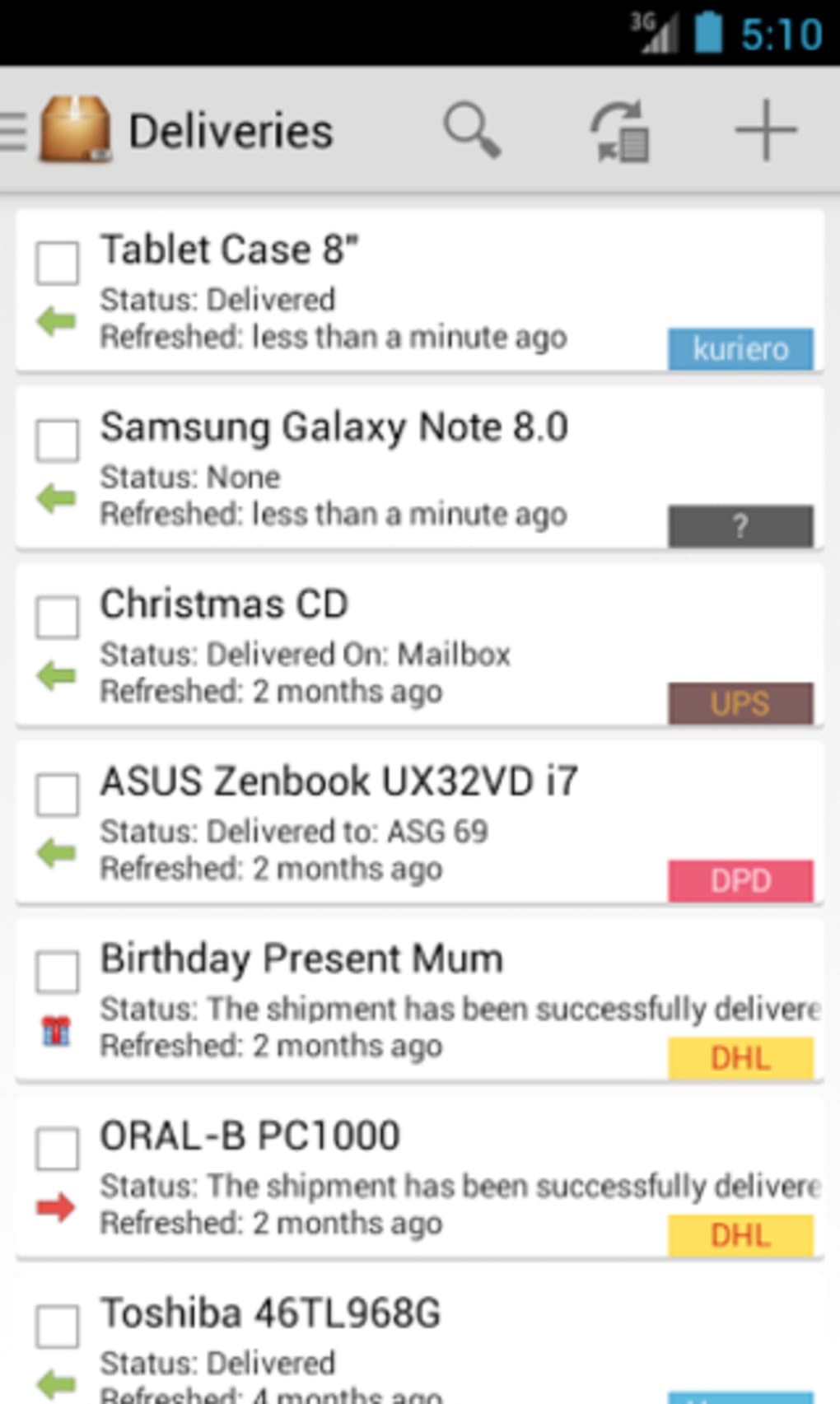
The user interface of Deliveries Package Tracker is described as clean and intuitive, designed to prioritize ease of access and clarity. Navigation is structured around a central dashboard that displays all active shipments in a single view, allowing users to quickly assess delivery statuses. The workflow begins with adding a tracking ID and selecting a carrier, followed by automatic status updates and customizable alerts.
The app supports a smooth onboarding experience, particularly for new users, who are presented with a list of supported carriers upon first launch. While the developer did not specify resource usage details, the application’s file size of 42.3 MB suggests a lightweight footprint. Performance observations are based on general software behavior patterns, indicating that the app likely maintains efficient operation under normal usage conditions.
Stability is implied through the inclusion of offline functionality and data import features, both of which require reliable internal handling. The app’s ability to manage multiple users and custom alerts further suggests a well-structured backend. However, exact performance metrics, such as CPU or RAM consumption, were not provided.
Compatibility & System Requirements
Deliveries Package Tracker is designed for Android operating systems. The current version is 3.4.5, with a file size of 42.3 MB. The developer did not specify exact system requirements, such as minimum Android version, RAM, or storage needs.
Compatibility information was partially provided, indicating that the app is available on Google Play. No details were given regarding hardware requirements or support for other platforms. Users should ensure their devices meet standard Android application requirements to run the software.
The app supports both online and offline usage, enhancing accessibility across different network environments. The developer did not provide additional information about platform-specific limitations or installation prerequisites.
Pros and Cons
Pros
- Supports over 100 shipping carriers, including major global providers
- Offers both online and offline tracking capabilities
- Enables data import from other tracking apps
- Features a clean, intuitive interface with centralized shipment view
- Allows sharing of tracking data with multiple users
- Customizable notification settings and sounds
- Includes a built-in map view for real-time location tracking
- Available in multiple languages for international users
Cons
- Exact system requirements were not listed
- Performance details, such as CPU or memory usage, were not specified
- Information about developer background is limited
- Only available on Android, with no indication of desktop or iOS support
- Update frequency and future development roadmap are not disclosed
FAQ Section
Is Deliveries Package Tracker available for Windows or Mac?
The app is currently available only on Android. There is no information provided about desktop versions for Windows or Mac.
Is the app safe to download and use?
Deliveries Package Tracker is available on Google Play, which provides a vetted environment for app distribution. The app is free to download and does not require sensitive permissions beyond standard tracking and notification access.
Can I use the app without an internet connection?
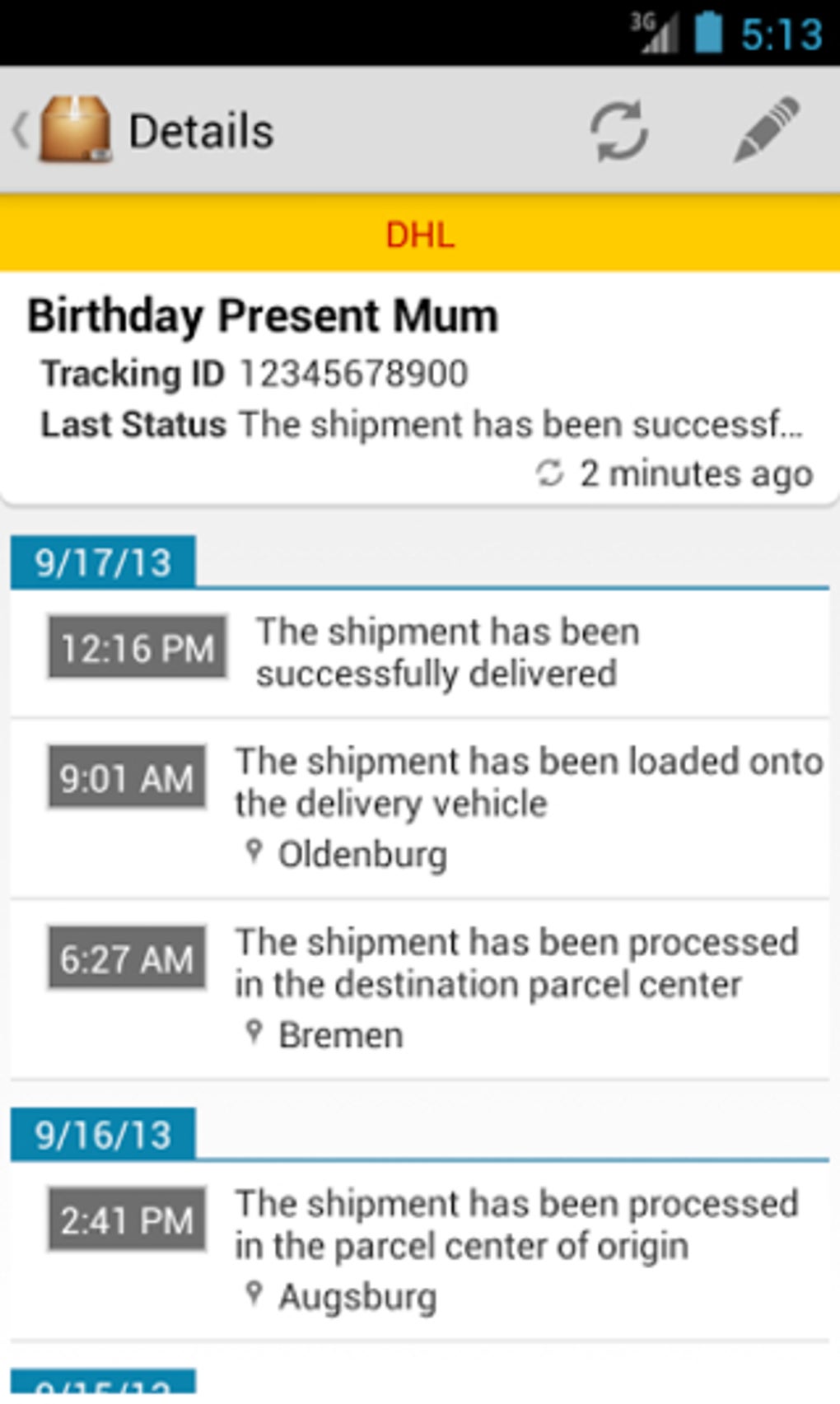
Yes, the app supports offline tracking. Once shipment data is loaded, users can view status updates and delivery history without an active internet connection.
How often does the app update delivery status?
The app retrieves status updates from carrier APIs as they become available. The frequency depends on the carrier’s data availability and the app’s sync settings.
Can I share my shipments with others?
Yes, the app allows multiple users to access the same tracking data, making it suitable for family or team coordination.
Final Thoughts + CTA
Deliveries Package Tracker delivers a robust, user-friendly solution for managing multiple parcels across diverse logistics providers. Its ability to consolidate tracking data, support offline access, and enable collaboration makes it a strong choice for individuals and small groups managing frequent deliveries. The inclusion of customizable notifications, map visualization, and multi-language support enhances usability across different environments.
While the lack of detailed system requirements and platform expansion limits some users’ options, the app’s core functionality remains highly effective. For anyone seeking a reliable, free tool to track shipments efficiently, Deliveries Package Tracker stands out as a top contender. Download Deliveries Package Tracker now.





.png)

